Saturday, 19 May 2012

An EFL project - Scoop.it and blogging

My blogging students are finishing their third and last EFL course this year. The curriculum topics for this course are 'schools, education, learning' and 'employment and job applications'. I wanted to try some project work to introduce my students to the wealth of publicity our Finnish education system has been receiving for a few years now. By going through some of this media material, the goal was to write their responses to what they found out in their own blogs. I was hoping that this process would result in some higher order thinking.

I had collected an impressive list of links to online articles, blog posts and videos that I wanted to share with them as their background research material. I wanted them to learn relevant vocabulary by reading a bulk of articles and watching many videos where the same vocabulary would be repeated again and again. Ideally, we would have searched for the online material together but unfortunately, we didn't have the time within the busy 6-week course of 3 lessons a week. But how to make this list inviting to the students? I could just about imagine their long faces if I presented a dull list of written hyperlinks in the course blog! Then I came up with the marvellous idea of creating a Scoop.it magazine out of the links. Straight away the articles and videos looked much more attractive. My students were at least mildly interested when I introduced the project with the accompanying materials titled FINNISH EDUCATION IN SPOTLIGHT. I think their scepticism came from the apprehension of how much work all this would involve and how demanding it would be!


I posted the initial project guidelines in the course blog, also introducing the idea of Bloom's taxonomy to inspire them to dig deeper. This was also discussed in class. After this, the students were off to do their background research, mostly at home but we also spent some class time on it. Firstly, I wanted to touch base with each of them to see where they were at. Without supervision, many of them tend to procrastine too much. In class I was able to offer some tips on what to focus on, and how to start planning their eventual blog post early enough. Secondly, I wanted to give them a chance to ask their peers or me if they encountered any problems. We also discussed their findings together so they could get some more insights. And as Scoop.it kept suggesting more and more links, the pages of the magazine kept increasing. Students didn't complain, though!


For these classes, we often used the new, modern learning space of our school, where the students could make themselves comfortable on the couches. I expected them to have lots of questions but they seemed to be very self-directed and assured me that they were proceeding well. Some had their notes on their laptops, others preferred a handwritten notebook. I had to fight hard to stay in the background, available if needed but not interfering and "orchestrating" all the time. These are the sort of classes that I would like to do more often!

As the deadline for their projects was approaching, I decided that we would spend one whole 75-minute class on finalising the blog posts. This would give them the chance to still ask for any last-minute advice. The day before this class, it was a public holiday, so I posted final advice on the course blog as I knew many of them would be frantically working on their project at home (last minute panic is very common amongst them - but then again, I'm the same!). In my advice post, I also tried to model the kind of writing I expected from them, with hyperlinks to the Scoop.it materials. I'm so happy now that we had the last class finishing the work together! It was then that I noticed that, after all the preparation and explanations, some of them hadn't grasped the idea of a hyperlinked blog post at all, or how they were expected to refer to the material they had studied. I was quite surprised and disappointed at first. I thought I had given them such thorough and clear instructions! On second thoughts, I realized that they had probably never done such source-based writing before, or if they had, it had been in the traditional paper format, with a list of sources listed at the end. Luckily, I was able to go through the idea of hyperlinked online writing once more, and most of them finally seemed to get the point as it's was relevant to their work at hand!

What was learned?
  • Students got their work done in the end - all at their own level. This type of work allowed personal approaches, and some did manage to demonstrate deeper and more analytical thinking. I'm really proud of them!
  • Scoop.it is brilliant as a repository of study links! (In addition to being a nice way to curate a topic for your PLN.)
  • Next time, do more process writing - students benefit from ongoing hands-on guidance.
  • Maybe try something like this in pairs - collaboration might prove fruitful.

Why not check some of their work through the links to individual student blogs in the sidebar of our course blog! COMMENTS ARE MORE THAN WELCOME!

Saturday, 17 March 2012

Connecting my blogging students

We have now gone through two English courses without a textbook. We have used a lot of online materials (texts, blogs, pictures and videos) as material. The class blog has been the "online hub" to provide the links, give instructions, and motivate students. And the individual student blogs (also linked to the "hub") have been the platform for writing practise and conversations through comments.

As all this was totally new for me as well as for the students, I thought it was necessary to practise in our own little community first. Especially commenting is something that doesn't come naturally to most students. It takes a lot of guidance for students to realize what it really means to take a genuine interest in what other people have written, and to initiate conversations through their comments. In addition, writing to an unknown online audience is very different from only writing composition for your own teacher to read and assess! How do you catch readers' attention with your blog post? What culturally bound concepts will you have to explain to non-Finnish readers? What can you write in a public forum? How about privacy and online safety issues? All these, and many more, questions have come up in the course of our blogging journey so far.

If anyone is interested in more details, here are the links to my previous reflections on the first stages of student blogging:

Blogging with students 1 (why + setting the online "hub")
Blogging with students 2 (starting individual students blogs)
Blogging with students 3 (students' first blog posts)
Blogging with students 4 (commenting)
Blogging with students 5 (lots of positive progress in our 2nd course)

But now I feel it's time to start looking for student partners outside our own school, to make the blogging experience more real and authentic for my students. I am confident that they are now ready for it, and will be even more motivated, knowing that there are real people somewhere to connect with.


Through my years of doing international school projects, I have always believed that authenticity, in one form or another, is essential in foreign language learning. And now we have the chance to easily connect with schools around the world, thanks to wonderful ICT tools! The international projects I used to do before, where done as optional credit courses for interested students. Now I'm moving towards making such project work part of each and every English course I teach, with the goal of exposing all my students to real language use during their school years.

But where to find the partners? Internet serendipity again! I noticed that my online colleague from Australia, Tania Sheko, had just started blogging with the Yr 9 boys in her school. Of course, I was curious to see what they were up to, and was so amazed to read the mature responses of only 14-15-year-old boys to a demanding topic "You are what you know" that I just had to start writing comments. One thing led to another, and I have now promised to have my students do some commenting on these boys' blogs, too.

It's really worth reading Tania's reflections on her students' blogging. I share her views whole-heartedly, e.g. the following:
So much learning takes place without much effort though – writing not just for your teacher and a mark, but for a peer audience and a potentially global readership, will open up the scope for authentic discussions and social learning.
I can't wait for our next course to begin on April 10th, to get the interaction going! I welcome others to read and leave comments, too. It would really open up the classrooms to the world,  for both the Australian and our Finnish students.

Photo: connect by katypang on Flickr

Tuesday, 21 February 2012

We should teach copyright to students

I was really pleased to read the following in one of my students' blogs recently:
P.S. Sorry about the lack of photos. You can’t believe how hard it is to find a picture that is legally usable in a blog. It’s like you’re looking for a needle in a haystack.
Yes, my banging on about the use of photos seems to have sunk in! With this blogging group of 15 students, it took me a couple of months of constant reminders until the students took to heart all the copyright advice I gave them, both online and orally in class. And now it's great to see how concientiously they look for photos with Creative Commons licences, and credit them in their blog posts.


As the world-wide web is such a treasure trove of material, I can understood why so many of us take it for granted that it is all there free for anyone to grab and do what they wish with. Even some popular recent services cause confusion amongst users. Here in Finland, the apparent copyright infringements in the use of Pinterest have caused a lot discussion recently. Especially women seem to find it irresistible to compile and share beautiful pinboards of their favourite pictures - usually totally ignoring any copyright issues. It's worth reading, for example, this article on the many concerns with Pinterest.

Another popular service among teachers is Glogster Edu. I am planning an in-service session for language teachers in my area, in which I intend to introduce some useful and fun net resources. I was going to include Glogster in it but decided not to, as I simply won't have the time to get into Copyright issues in any depth. Glogster certainly motivates students to create their own, colourful, multi-media posters but it inherently leads students to copy material online - mostly illegally unless their teachers are strict about it. Naturally, like Pinterest, also Glogster has clear instructions on 'Uploading of Intellectual Property' in their Terms of Use. It's another question, of course, how many teachers follow these instructions.

I wonder how many schools have a joint policy about copyright that all teachers know about and consistently adhere to - both in their own PowerPoint presentations, and in their requirements for students' work. I feel that it is every educator's duty to model the right use of online sources and materials.

Sunday, 19 February 2012

Blogging with students 5

I have just finished my 2nd English course with my blogging group. What a pleasure it was to start work with them as their blogs were waiting, and they were already familiar with this type of work. I, too, had learned many valuable lessons during course 1, and was consequently better prepared and comfortable with the new concept. Thanks to all these advantages, and the ground work done in course 1, we were able to focus more on reading new texts, watching videos, class discussions and writing 3 separate blog posts with the accompanying comments.


As before, I based the course on the national EFL curriculum topics, and published the course plan online. This time, however, I gave the students more freedom to choose their blog topics. Following the 3 course themes, they chose what and how to write themselves. This seemed to work quite well, and some of the students also mentioned this as a positive aspect in their course feedback.

Unlearning repeating linguistic errors is quite a challenge. Students wrote drafts first, I gave them tips and feedback, and then they rewrote and edited their post, before publishing it. Despite all this effort, the same errors mostly recurred in their next drafts! What would help them actively tackle these ingrained errors? Or am I being a pedantic language teacher again, or maybe too impatient?

Commenting developed in leaps and bounds among some students, whereas those who struggled with their motivation and generally applying themselves in course 1, degenerated even further this time. In our last course, later this spring, I will work hard to get some collaboration going with foreign partners, to make the blogging and commenting an even more realistic experience for the students. Another thing I will try in the next course, is more regular, shorter blog posts, with even more student freedom to choose the topics. After all, this is what blogging inherently is about, rather than writing given assignments, and even some students specifically hoped for this type of change in their feedback.

All in all, I enjoyed the classes without coursebooks more and more. There are so many more opportunities for student involvement and engagement than with the pre-set, rather mechanical gap-fill exercises that coursebooks are filled with. Every class was filled with English chatting, questions being asked, vocabulary use negotiated, ideas thrown in, and students actively participating. In December, we hosted a student exchange visit from a partner school in Singapore. The Singaporean guests visited our class, and students carried out interviews to find out about young people's lives on the other side of the world. The information they collected could then be used for their blog posts, which many of them did. I wish I had videoed the non-stop, enthusiastic talk that went on in that class!


For anyone interested, the students blogs can be found in the right-hand sidebar of our course blog.


Sunday, 5 February 2012

The hurdles of 1:1, LMS and school change

It has been a very interesting and hectic school year so far. In September, all 130 first-graders got their brand-new minilaptops. School administration proudly named this the beginning of the BIG LEAP. At the same time, our school acquired a LMS to help teachers take the leap in practice. Having been actively involved in social media, and various online platforms for some time, I was asked to guide teachers in the use of the new platform, together with our ICT teacher, who would be the technical expert. After a lot of initial doubts concerning my personal leap outside the language teacher's "box", I decided to jump at the chance of new challenges.


In my role as a teacher tutor, I soon realized that my colleagues could roughly be divided into three groups: 1) those who already had some experience in integrating technology in their classes, and thus had specific expectations of what a LMS should offer 2) those who were ready to start experimenting with new technologies but had now clear idea of what it might be 3) the ostriches who had their heads safely hidden in the sand, and maintained that as long as students learned the facts listed in the curriculum in the old way, no technology would be needed in their classrooms. They also added that as no computers would be used in the national final exams, for the foreseeable future anyway, using them in class would be a waste of time and effort.

Unfortunately, the adopted LMS turned out to be a disappointing flop. It didn't meet the expectations of group 1, among other things because it wasn't customisable in any way. Group 2 found it too intimidating to use, and needed frequent step-by-step instructions, which in the end were too frustratingly time-consuming. As for group 3, I think they consider technology too much as a tool for TEACHING, and fail to see its potential as a powerful LEARNING tool for the students.

Personally, I may have already been biased at the start, with my experience of user-friendly and colourful social media tools. All I can say, I wasn't impressed at all by what the platform had to offer. However, I do believe that to make things move forward on the school level, a LMS of some sort might be beneficial as a starting point, in particular for teachers who, as ICT users, are inexperienced but willing to learn. But this platform needs to be user-friendly enough to help things develop with ease. If this is not the case, too much time is wasted in learning the complicated operating system, or teachers will simply give up even trying. Another problem with many LMSs is that they often guide teachers too much to just repeat the traditional methods in a digital format - ie. uploading files online instead of giving them on paper. True, it will save paper, but this is hardly the main point! Lisa Lane aptly calls this "the LMS pedagogy trap".
An instructor seeking an easy way to post word documents, assignments through a digital "dropbox", and run a traditional threaded discussion board will tend to show great satisfaction in using a LMS.
The LMS also needs to be flexible enough to allow innovative teachers to customise it and add other applications to it, when needed. These teachers are typically already quite far in their own pedagogical change into a more student-centred, 21st-century approach, and then start finding suitable technological tools to support and enhance this change.

I look forward to more colleagues finding the courage and enthusiasm to experiment with some ICT tools, and getting interested in learning more. This would hopefully give them insights into what pedagogical changes this might entail in their old classroom practices. I don't think any singular platform will be perfect and ideal for all different users. We need to learn to live with the multitude of choices, as well as with the fast pace of change when it comes to digital tools. I've heard and read countless times that "good teaching is good teaching, whether you use technology or not". I tend to disagree. I would say IT IS to do with technology in that schools cannot keep pretending that we can carry on as before, oblivious to what is happening all around. If we idly wait for the final exam procedures to get digitalised before adopting technology in our classrooms, we will be failing several generations of young people, who will enter work markets ill-prepared for what is expected of them there. There is a lot of good in our country's largely de-centralised school system, with its wide teacher autonomy. One of its great obstacles, however, is the difficulty to accomplish any fundamental, large-scale change.

Wednesday, 16 November 2011

Asian and European educators meet in Dundalk, Ireland


Back from the 10th AEC-NET (Asia-Europe Classroom Net) conference, my mind is buzzing with ideas. After many years of coordinating AEC-NET projects, and preparing project presentations for the conference, this time round I took the backseat, to be able to observe and reflect. The Singapore admin team, together with the Irish conference hosts, had put together a hectic 5 days of lectures, workshops, presentations, and project group meetings, under the title 'Apps in Asian and European Classrooms! Unleashing Educational Creativity'.

Schools in most participating countries have definitely moved on. There is serious talk about taking action, and not just marvelling at philosophical ideas somewhere in a distant 'cloud', as used to be the case a few years ago. Many schools are technologically quite well equipped - some have even moved into the 1:1 laptop or iPad era, like my own. The hardware is there but now the question is how best to utilize it to enhance learning, and engage our 21st-century students.

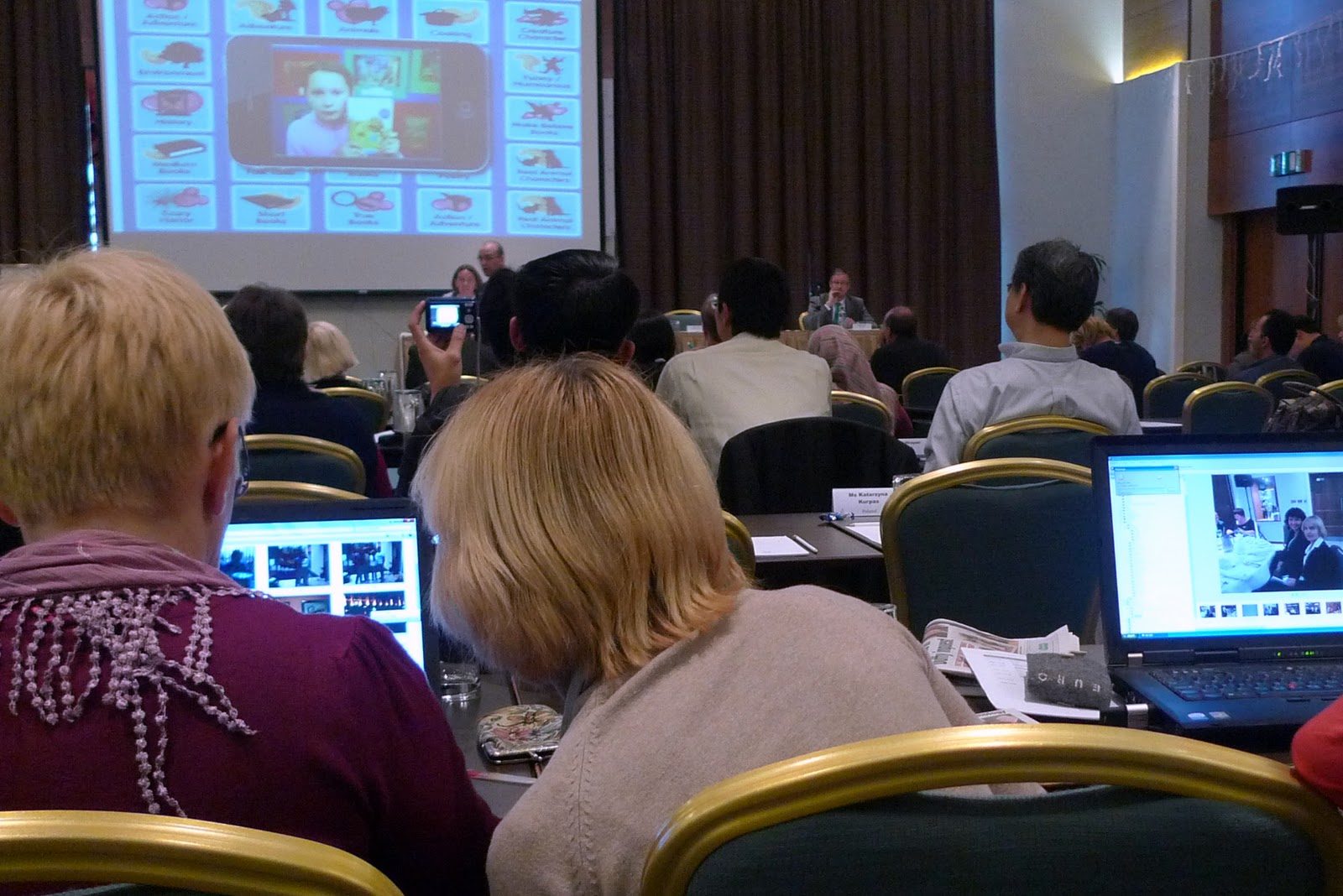
The conference scene has changed a lot, too - screens of different sizes abound amongst the audience

One afternoon we had a dynamic 5-workshop 'speed data' session, with app after app presented at a breath-taking tempo. Tagxedo word clouds, Animoto videos, Geogebra, Audacity, Google apps, Vimeo, Kinect Scratch, blogging services, Etherpad... An endless list of applications and gimmickry was blast onto us, like a firework show. I wonder what the more techonogically novice teachers thought, as even I, with at least some previous exposure and knowledge, found it challenging to follow! I started to think that while it is certainly useful for a teacher to have a digital "toolbox" of various apps, for example, to visualize complicated concepts, in the end, using hundreds and hundreds of these apps all the time is not the key issue. True, this session kept us teachers awake and running, in the after-lunch sleepy hours, and would probably work to do the same for students, but something more solid is needed to shift educational practices.

One of the most interesting presenters for me, was Ms Chan Lai Peng, Deputy Director from the MOE in Singapore. Having organised some student exchanges, and virtual projects with schools in Singapore, I have realized how much our two small nations have in common, despite the striking geographical and cultural differences. Both nations, with small populations, have competed for the top positions in the OECD PISA assessments, for example. Ms Chan explained to us how they have come to the 3rd Master Plan concerning ICT in education. Vigorous programmes have been put into place to deepen the pedagogy of ICT use, and for each school to reach a base line standard in ICT integration. A lot of attention is paid to cyber wellness programmes, with student ambassadors to tutor their peers in every school. What's more, every school has a full-time technical assistant on site - something that we Finnish teachers can only dream of! Ms Chan finished her lively talk in this observation: "Technology is but a tool but it can be a powerful one when put in the hands of skillful teachers." It is our challenge now, as teachers, to keep updating and developing our skills to keep up with the fast pace of change.

Monday, 10 October 2011

A guest blog post by Lindsey Wright: EFL Beyond Blogging

First ever guest post in my blog. Lindsey contacted me, and kindly offered to write about some other online activities for EFL classes, after reading about my blogging experiments. Thank you for these great tips and links!

Lindsey graduated with a degree in Public Health Administration before relocating with her family to Seattle. She is currently writing, and her favorite topics include health care, work-life balance, and travel.

Teachers everywhere are using the Internet, with its wide variety of instantly available information, as a helpful classroom tool. But did you know the Internet is useful for more than research? There are a wide variety of exercises for teachers of English as a foreign language that are available online. One of the most common exercises for teachers who incorporate interactive internet assignments into their curriculum is asking students to write a blog, but there are also other interesting activities out there for students to experience while enhancing their education. Here is a list of just a few engaging activities that you may want to explore with your students.


Webquests

One of the most useful tools on the Internet for teaching EFL students is the webquest. A webquest is a lesson plan that is based on proposing questions that students can research and easily answer on the Internet. These “quests” are perfect for students of all levels as well as students who are just learning English, and cover a wide variety of topics. This is largely due to the fact that webquests are designed to maximize the power of a lesson. They are set up so students spend a lot of time using the information they have found rather than looking for it, and use higher level thinking and build language skills as well.

Generally, students who have basic computer proficiency will be able to handle webquests, even if they are younger or are not very familiar with English. Webquest assignments may need to be adapted if the classroom only has one or very few computers, but can generally work in almost any situation.

Wikis

Another helpful tool for EFL teachers that is being used for online schooling and classroom exercises alike is a wiki. A wiki is a website that is created and edited collaboratively by multiple users. A class can select a topic of interest to them (whether cultural, historical or related to units in other academic classes) and build a website with information about the topic. Additionally, wikis help students learn on an individual level. Each student can be assigned a page that is specifically interesting them that still relates to the overall class topic, and will need to develop research, reading and writing skills in order to actually write their wiki page.

This is a fairly hands-on project for a teacher and requires a familiarity with the Internet and the creation of wikis, but it can be a really powerful tool for a class. Students will be really proud of what they've done when they see their work on the Internet, and the project will develop their language skills in a variety of areas.

Fake Facebook Pages for Historical or Fictional Characters

A final tool that may really engage EFL students is the creation of Facebook pages for historical or fictional characters. This is a really great way to develop research and writing skills while connecting your EFL lessons to other classes. You could assign historical characters from the period of history that your students are studying in their history or social studies classes, or you could assign fictional characters from novels or short stories that are being read in an English class. Alternately, you could simply choose characters that your class has expressed interest in and go from there. The creation of Facebook pages involves research in order to find out biographical information about the characters, as well as photos or artistic depictions of them. It can also develop writing skills as students have to write information about their characters on their pages.

Students will probably be really excited about this project when you announce it to them. You'll have to pay attention, though, as using social networking tools in the classroom makes it all too easy for students to goof off and check their own Facebook pages rather than working on research and writing for the assignment. Also, some school systems may block the use of Facebook on classroom computers, but a variety of offline templates for this project exist. If you can make it work, this will be a great project for your EFL students.

Clearly there a number of ways that allow you to make learning English exciting to your students. However, what is better still is that your options aren't limited to the lesson plans mentioned here. The Internet has opened up a whole world of educational opportunities for teachers and students alike, now all you have to do is explore!